Organizations across the world are investing in digital learning more than ever. Employers want to train their workforce to meet business goals and engage employees. Additionally, measuring the effectiveness of the training efforts has become crucial for L&D. Data of training programs is an indicator for future training investment. By tracking results via technical specifications like SCORM, LTI, and xAPI, L&D can get meaningful insights to justify the ROI of e-learning.
What can I do with result tracking?
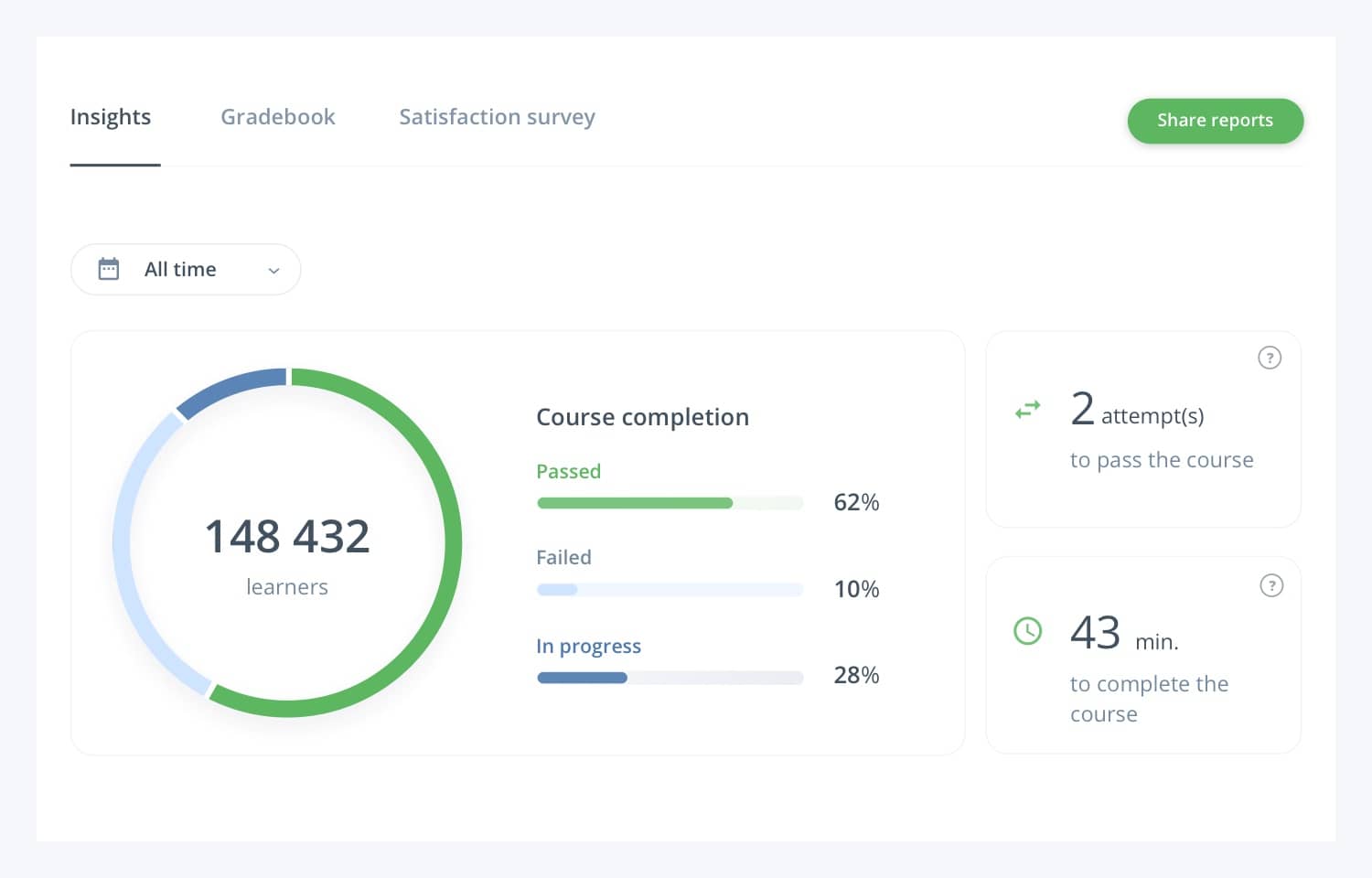
A great advantage of e-learning is that you can track the results of your learners. That is what you use technical standards like SCORM, xAPI, CMI5, AICC, and LTI for. These standards measure metrics on a high level: who passed, failed, and completed. Or as detailed as you want: number of attempts, given answers, time spent on answers or a course, devices learners use, and more.
The data you gather can also give you insight into the quality of your course or assessment. For instance, you can find out where employees get stuck with their training. When courses aren’t completed, it can be a sign of that they were disengaging or too long. There are also intangible metrics like decreased error rate and increased customer satisfaction, demonstrating the business’s success. When we are talking about classic training and knowledge transfer, assessment results and completion rates are the first fundamental metrics to base investment decisions.
That’s why result tracking is significant: you can optimize training and make sure they fulfill your learners’ need. The more meaningful, effective, and successful you can make training, the better ROI will be.
What are SCORM, AICC, LTI, xAPI, and CMI5?
SCORM, AICC, LTI, xAPI, and CMI5 are technical standards for your e-learning content. They make sure the content you create in an authoring tool works with any other learning system. Which of these standards is best for you to use, depends on your organization’s learning goals.
There is one thing these standards have in common. They all allow a course to track results in an LMS, LXP, or LRS, even if the course is created in another tool, like Easygenerator.
What is SCORM?
SCORM stands for Sharable Content Object Reference Model. It is a standard in e-learning that tracks and traces your learners’ results in a Learning Management System (LMS). A SCORM-compliant course might typically track:
- course result (pass/failure)
- correct or incorrect answers
- viewed pages
- length of page views
- time spent on a course
- score per learning objective
The meaning of SCORM-compliant
SCORM compliant means that you are using a system that can use SCORM. If that system is a Learning Management System, you have a SCORM compliant LMS. You can create SCORM-compliant courses using an authoring tool that allows you to export a course or assessment as a SCORM-package.
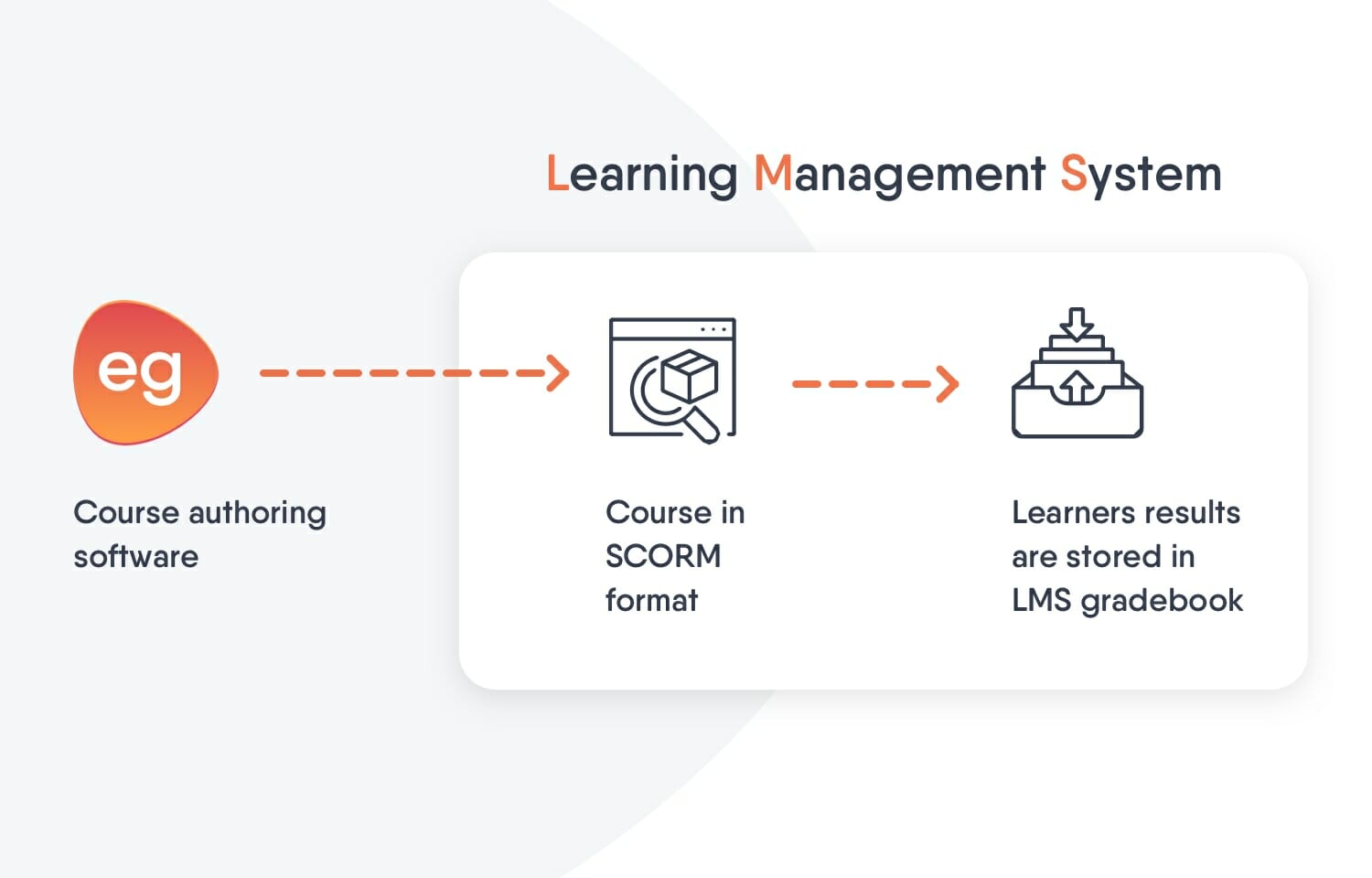
If you’re considering using SCORM, it’s important to understand which elements you need and choose an authoring tool or LMS supporting them. A typical process for SCORM-compliant courses would be:
- Course created in an authoring tool (or in an LMS)
- Course published as a SCORM package and uploaded into an LMS
- Learners are added to the course
- LMS tracks and stores the learners’ results
- Report on these results
SCORM package
A SCORM package is a different name for a course in SCORM format. You can create a SCORM package in a SCORM-compliant authoring tool. You create your course and publish it as a SCORM package. In Easygenerator, this is just a matter of choosing the right option.
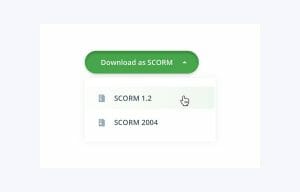
The SCORM file will be placed on your computer as a ZIP-file. You need to upload this file into your LMS. An excellent way to understand it is to think of the SCORM package as a DVD and your LMS as your DVD player. It’s a ‘plug-and-play’ solution that allows L&D to distribute e-learning to their workforce on mass. It also allows content that was often expensive to create to be sold.
SCORM version 1.2
SCORM started in 2001 with a simple version for result tracking. Later, it got two updates that completed it: SCORM 1.1 and SCORM 1.2. The latter became the most used system to track and trace learners’ results, and it still is today.
SCORM version 2004
The latest SCORM version dates from the year (you guessed it) 2004. It comes with a few additions to SCORM 1.2 and is still being used today.
SCORM 1.2 vs. SCORM 2004
The differences between SCORM 1.2 and SCORM 2004 have a lot to do with read-write interactions, status separation, and sequencing.
Learn how to create a SCORM file easily.
- Learning Management System
- Often referred to as an LMS, this software is used to create and deliver learning content, track and assess results, and generally administer your e-learning. You can learn more about LMSs in our guide.
- Learning Record Store
- A data storage system for learning records. It is essential to the xAPI process flow.
What is AICC?
AICC is short for the Aviation Industry Computer-based Training Committee. It is the first learning technology specification ever made and helps e-learning courses and LMS communicate. Read more what AICC is here.
What is LTI?
LTI is a standard for Learning technology Integration. It helps you connect learning technology in different ways. For example, Single Sign-On helps learners and authors safely log in to different learning tools without creating various login credentials. LTI can track results on a high level to show if someone has failed or passed. The usage of LTI is very limited for result tracking.
What is xAPI?
XAPI is an e-learning standard that communicates with your LRS or LXP. It gives an in-depth tracking of learners’ behaviors. For example, it shows earner engagement through mouse-clicks, comments, and other on-screen actions. That way, it shows exactly where content is making an impact. Organizations can use this to make real-life performance improvements.
xAPI can also track learners’ behavior when they’re outside of the organization’s network. Allowing every interaction to be transferred to the LRS.
What is Tin Can?
Have you come across the term Tin Can? That used to be the name of xAPI when it was being developed before it became an official standard.
What is CMI5?
xAPI offers so many possibilities that it needed a set of rules to be able to have focus and impact. That set of rules is what we now call CMI5. Short for computer-managed instruction, it can track learners’ results in an LMS, just like SCORM.
AICC and SCORM vs xAPI
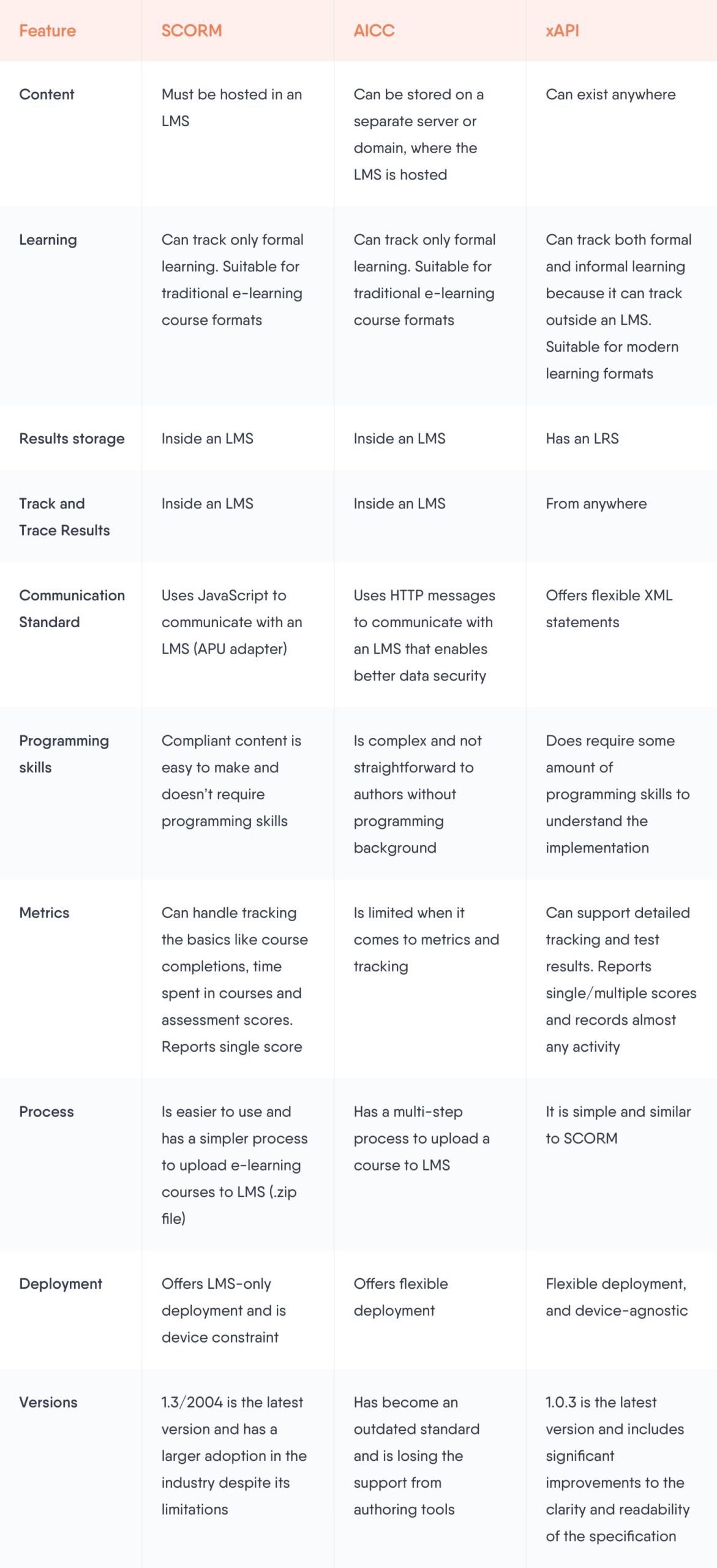
Although both AICC and SCORM work differently, they are also quite similar. Both of them have been around for more than 20 years, work in an LMS, and can be replaced by xAPI. It’s understandable if that makes you wonder: what does xAPI bring that SCORM and AICC do not?
xAPI lets you track and trace anything, whereas SCORM and AICC have limits. And that’s not even it. You can do more than tracking learning experiences with xAPI. Check out our free ebook about better alternatives for SCORM.
xAPI comes with his own system, a Learning Record Store (LRS). And that’s a huge difference. Why? With SCORM and AICC, results are stored inside your LMS. If you want to leave your LMS and switch to a different system, you can’t bring along your data. LMS is a huge vendor lock-in. And xAPI’s LRS solves that because it’s not confined to an LMS. If you store data in a separate database, you can take it with you. You can even host this data on your servers behind your firewall.
xAPI even allows you to track and trace from LXP (Learner eXperience Platform) and EPSS (Electronic Performance Support Systems) and combine the results in your own LRS. That makes it the most futureproof solution there is. If you want to select an LMS, always chose one that supports xAPI or CMI5. Those are the ones that are future proof.
A new view on result tracking
We mentioned earlier that xAPI results are stored in an open database that allows you to analyze that data. This becomes increasingly important. Old school result tracking (SCORM, AICC, and LTI) gives a teacher or a learning department the student results. That is important for formal learning, but at organizations, informal learning becomes more and more prominent.
Employees learn informally with how-to’s, videos, talks at the coffee machine, mentor sessions, and much more. The goal is for the employee to grow knowledge and improve their skills and performance. Measuring their behavior when consuming learning content is crucial because it helps L&D ensure employees get their hands on effective content.
A form of informal learning is Easygenerator’s solution for Employee-generated Learning. Employees create training content for their co-workers. There is no teacher-student relation. It doesn’t matter for a subject-matter expert if a colleague scores an A or a B for his course.
That expert is interested in how many people take his course and complete it, how long they take to finish it, how many takes they need to pass. This information gives the expert insight into the quality of his course and can help him improve it. And that is what an open LRS will allow you to do, with results tracked by xAPI.