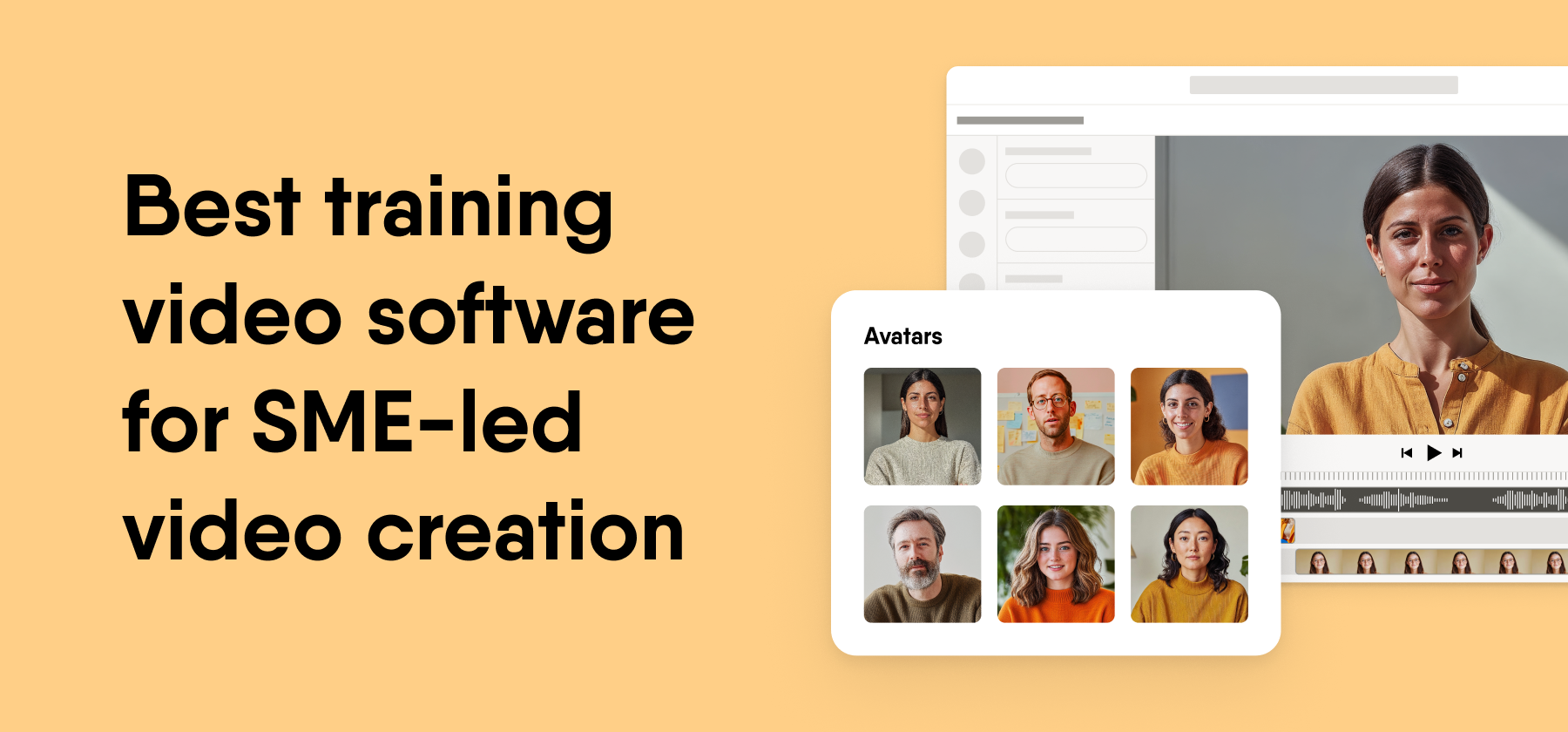
EasyVideo is our pick for training video software that subject-matter experts (SMEs) can use on their own. It turns PowerPoint files, recordings, or templates into scene-based videos with AI avatars and voiceovers, and L&D teams work on the same videos in one workspace. Colossyan Creator, Synthesia, Camtasia, and Vyond fit narrower needs. We publish this page, and EasyVideo is our product.
Key takeaways
- EasyVideo suits SME-led video that L&D must review. Scene-based editing lets an expert change one part without a rebuild of the rest (our EasyVideo page, 2026).
- AI avatar tools remove the camera barrier. Colossyan Creator and Synthesia suit experts who do not want to appear on screen.
- Screen recorders suit software demos. Camtasia records and edits video, but it does not author courses (G2, 2026).
- The SME’s comfort level should drive the tool choice. Quality review stays with L&D, whichever tool your experts use.
Training video software lets SMEs build videos without video skills
Training video software lets a person with no editing background turn what they know into a short video for colleagues. For SMEs, the tools fall into four groups, based on how G2 describes them as of November 2026.
- AI avatar tools, such as Synthesia and Colossyan Creator, turn a script, document, or deck into a video with a digital presenter
- Animation tools, such as Vyond, build cartoon-style scenes with characters
- Screen recorders and editors, such as Camtasia, capture and polish what happens on a screen
- Course-connected tools, such as EasyVideo, put avatar video inside an authoring platform
L&D teams look at these tools because experts hold knowledge that a central team cannot capture alone, and drafts often stall. Across 213,660 courses and 22.9 million learner-course interactions between June 2025 and June 2026, 48% of courses still sat unpublished after at least 90 days, once courses created too recently are set aside (our 2026 e-learning benchmark report).
That figure describes activity on the Easygenerator platform rather than the e-learning industry as a whole. Still, it shows why a tool that keeps experts moving matters as much as the quality of its avatars.
How we evaluated the five training video tools
We scored each tool on four criteria, and the same four criteria appear as table columns and as headings in every tool entry. We used three grades. High means the tool meets the criterion with no workaround, Medium means it meets part of it, and Low means teams need another product to meet it.
Four criteria for SME video creation
- SME ease of use. We checked whether a first-time author can make a usable video in one session, and we looked at import options, templates, and how much timeline work the tool asks for.
- AI avatars and voiceover. We checked whether an expert can skip the camera and the microphone, and we looked at digital presenters, AI voices, and script help.
- Review and collaboration. We checked whether L&D can open and fix an expert’s draft in the same tool, and we looked at shared workspaces, comments, and co-editing.
- LMS and publishing output. We checked how the video reaches learners in a Learning Management System (LMS), and we looked at SCORM, xAPI, embed codes, and file export.
Ownership disclosure
Easygenerator is our own product. For every other tool in this list, we based our descriptions on G2 reviews and on each vendor’s own website and help center. We last verified ratings as of November 2026 and features as of October 2026.
What we deliberately did not score
We did not score template or avatar counts, because vendors count them in different ways and the totals change often. We also left price out of the scores, because these tools charge on different units, such as seats and credits, so no fair side-by-side figure exists.
Five well-known tools we left out
- HeyGen, because G2 describes it as aimed mainly at marketing and sales video (G2, November 2026)
- VEED, because it is a general browser video editor, and its G2 reviewers name slow performance as the top con
- Descript, because it centers on text-based audio and video editing, and its G2 reviewers name a learning curve as a con
- Canva, because it is a design platform first, and its G2 reviewers name lack of features as the top con
- Elai.io, now part of Panopto, because it overlaps with Colossyan Creator and Synthesia on a much smaller G2 review base
SME video tools split into two routes
The market splits by how the expert shows up in the video. Route 1 replaces the expert with an AI presenter, and Route 2 captures the expert’s own screen or turns the message into animation.
Route 1 uses AI avatars and course-ready video
Route 1 tools turn a script, slide deck, or document into a video with a digital presenter and an AI voice.
Category winner. EasyVideo, because experts and L&D build video in the same platform where they build courses.
Best fit for. Experts who avoid the camera, global teams, and content that changes often. The tools are EasyVideo, Colossyan Creator, and Synthesia.
Route 2 uses screen recording and animation
Route 2 tools capture a real screen or build animated scenes, so the result looks less like a presenter and more like a demo or a story.
Category winner. Camtasia, because most SME video in this route shows software step by step.
Best fit for. Experts who demo software and teams that want a light tone. The tools are Camtasia and Vyond.
Five training video tools compared on four criteria
EasyVideo grades High on three criteria and carries the platform’s publishing options on the fourth. Synthesia and Colossyan Creator match it on avatars, while Camtasia and Vyond trade avatars for screen capture and animation.
| Tool | SME ease of use | AI avatars and voiceover | Review and collaboration | LMS and publishing output | G2 rating |
|---|---|---|---|---|---|
| 1. EasyVideo | High. Starts from PowerPoint, a recording, or a template | High. AI avatars, AI voiceovers, and a script assistant | High. Real-time co-authoring in one workspace | Yes, manual and dynamic SCORM, xAPI native integrations, and more. | 4.7/5 from 198 reviews (Easygenerator platform) |
| 2. Colossyan Creator | High. Starts from a script or slides | High. Stock and custom avatars with AI voices | Medium. Shared workspace with comments | Medium. SCORM export for videos with quizzes | 4.6/5 from 498 reviews |
| 3. Synthesia | High. Starts from a script, document, or deck | High. Stock and personal avatars with AI voices | Medium. Shared workspace with comments | Low. No native SCORM or xAPI. Link, embed, or MP4 | 4.6/5 from 2,859 reviews on G2 |
| 4. Camtasia | Medium. Simple recording, timeline editing | Low. Built around the expert’s own screen and voice | Low. Desktop editor for one author at a time | Low. Video files. Does not author courses | 4.6/5 from 1,764 reviews |
| 5. Vyond | Medium. Templates and scene setup | Medium. Animated characters with AI voices | Medium. Shared team workspaces | Low. Video files | 4.7/5 from 555 reviews on G2 |
We verified all G2 ratings and review counts in this table as of November 2026. G2 counts move in both directions as reviewers add and remove reviews, so figures on pages published earlier may differ by a few reviews.
1. EasyVideo
EasyVideo is an AI training video maker from Easygenerator that turns PowerPoint files, recordings, or templates into scene-based videos with AI avatars and voiceovers. EasyVideo is available as a powerful addition to the suite, built for distributed content creation at enterprise scale.
It leads Route 1 because SMEs and L&D teams build and update video in the same platform where they build courses. Global teams can translate a video into 70+ languages with one click (our EasyVideo page, as of October 2026).
SME ease of use
Experts start from a PowerPoint file, a recording, or a template, so nobody faces a blank timeline. EasyVideo builds each video scene by scene, like slides, so an expert can update one scene and leave the rest untouched. The AI Script Assistant helps experts who find a script hard to write.
AI avatars and voiceover
EasyVideo offers AI avatars, AI voiceovers, and custom AI presenter generation, so experts never need to face a camera or record their own voice. Branded and shared custom avatar libraries are coming soon, and they are not live as of October 2026.
Review and collaboration
EasyVideo has its own workspace in the platform header, with real-time collaboration. An expert and an L&D reviewer can work on the same video at the same time. Each co-author needs an EasyVideo license (as of October 2026).
LMS and publishing output
One embed code covers every language version of a video, so a new translation does not mean a new link. EasyVideo sits inside the Easygenerator platform, which publishes courses as manual and dynamic SCORM and xAPI. With dynamic SCORM, authors upload a course to the LMS once and push every later update with one click.
Standout features
- Three ways to start, from PowerPoint, a recording, or a template
- Scene-based editing, so one change stays in one scene
- AI avatars, AI voiceovers, and custom AI presenter generation
- One-click translation into 70+ languages with subtitles
- A single embed code for all language versions
Pros
- Experts reuse slide decks they already own
- Experts and L&D co-author in real time in one workspace
- Translation and subtitles need no extra tool
- Video and course authoring share one platform
- G2 reviewers name ease of use as the top pro theme for the platform (28 mentions, as of November 2026)
Cons
- Branded and shared custom avatar libraries are not live yet
- Every co-author needs an EasyVideo license
- EasyVideo has no free trial
- Click-by-click software demos may suit a dedicated screen recorder better
Best for
- Enterprise L&D teams that support dozens or hundreds of SME authors
- Experts with slide decks who want to stay off camera
- Global teams that need one video in many languages
- Product, policy, and process content that changes often
- Teams that already build courses in Easygenerator
G2 rating. 4.7 out of 5 from 198 reviews, as of November 2026. EasyVideo has no separate G2 profile, so this is the rating of the Easygenerator platform it sits inside.
How we checked. Our EasyVideo page and product documentation as of October 2026, and our G2 profile as of November 2026.
2. Colossyan Creator
Colossyan Creator is an AI avatar video tool from Colossyan built for workplace learning (G2, November 2026).
It sits in Route 1 and comes closest to EasyVideo in focus, since it aims at training rather than marketing. It suits teams that want interactive avatar video as a stand-alone asset.
SME ease of use
Experts type a script or import slides, then pick an avatar and a voice for each scene. G2 reviewers list ease of use as a top pro theme as of November 2026. The scene editor keeps timeline work to a minimum.
AI avatars and voiceover
Colossyan offers stock AI avatars, custom avatars, and AI voices in many languages (Colossyan website, October 2026). G2 reviewers praise realistic avatars, and they also list avatar limitations as a con.
Review and collaboration
Teams share a workspace where colleagues can comment on drafts. L&D can check an expert’s video before release without an export round trip.
LMS and publishing output
Colossyan markets SCORM export for videos, plus quizzes and branching inside a video (Colossyan website, October 2026). That gives L&D basic tracking in an LMS. Longer modules with mixed content still need an authoring tool.
Standout features
- Script and slide import
- Stock and custom AI avatars
- AI voices in many languages
- Quizzes and branching inside a video
- SCORM export
Pros
- Training focus, according to G2’s category description
- Ease of use as a leading G2 pro theme
- Realistic avatars, according to G2 reviewers
- LMS tracking without a separate tool for simple videos
Cons
- G2 reviewers list avatar limitations as a con theme
- G2 reviewers list expense as a con theme
- Builds videos rather than full courses
Best for
- L&D teams that want avatar video with quizzes
- Experts who write scripts with confidence
- Scenario videos with simple branching
- Teams that publish stand-alone videos to an LMS
G2 rating. 4.6 out of 5 from 498 reviews, as of November 2026.
How we checked. The Colossyan website as of October 2026 and the G2 profile as of November 2026.
3. Synthesia
Synthesia is an AI video platform from Synthesia that creates avatar videos from a script, document, or deck (G2, November 2026).
It sits in Route 1 and has the largest G2 review base of the five tools. It suits teams that want polished presenter video and already own a separate tool for tracked courses.
SME ease of use
Experts paste a script or upload a document or deck, and Synthesia drafts a video from it. G2 reviewers rank ease of use first among pro themes as of November 2026. Templates give experts a layout to fill in.
AI avatars and voiceover
Synthesia offers stock avatars, personal avatars, and AI voices across many languages (Synthesia website, October 2026). G2 reviewers praise quality and realistic avatars. They also list avatar limitations, AI limitations, limited avatars, and voice quality as cons.
Review and collaboration
Team workspaces let colleagues share and comment on videos. L&D can review an expert’s draft inside Synthesia before release.
LMS and publishing output
Synthesia offers no native SCORM or xAPI output (as of October 2026). Teams share a link, embed the video, or download an MP4, then place it in a course or LMS through another tool.
Standout features
- Script, document, and deck to video
- Stock and personal avatars
- AI voices in many languages
- Video translation
- Templates for common video types
Pros
- Ease of use as the top G2 pro theme
- Video quality, according to G2 reviewers
- Realistic avatars, according to G2 reviewers
- The largest G2 review base in this list
Cons
- No native SCORM or xAPI output
- G2 reviewers cite avatar limitations and limited avatars
- G2 reviewers cite AI limitations
- G2 reviewers cite voice quality
Best for
- Experts who want a polished avatar presenter
- Videos shared by link on an intranet or in email
- Teams that already own an authoring tool for tracking
- Multilingual video at volume
G2 rating. 4.6 out of 5 from 2,859 reviews on G2, as of November 2026.
How we checked. The Synthesia website as of October 2026 and the G2 profile as of November 2026.
4. Camtasia
Camtasia is screen recording and video editing software from TechSmith, and G2 lists it under Video Editing Software (November 2026).
It leads Route 2 because most SMEs who record themselves want to show software step by step. It records and edits video, but it does not author courses.
SME ease of use
Recording takes a few clicks, while timeline editing takes practice. Experts who record once and trim a little can work alone. Longer edits often land back with L&D.
AI avatars and voiceover
Camtasia builds video around the expert’s own screen, webcam, and voice rather than a digital presenter. That keeps the expert’s real voice in the video. It also means a nervous expert gets no camera-free option, so we grade it Low.
Review and collaboration
Camtasia is a desktop editor for Windows and Mac, built for one author at a time (TechSmith website, October 2026). Reviews happen outside the editor, through shared files or links.
LMS and publishing output
Camtasia exports video files that L&D uploads to an LMS, video platform, or course. Tracking depends on the course or LMS around the video (G2, 2026).
Standout features
- Screen and webcam recording
- Timeline editor
- Annotations and cursor effects
- Captions
- Reusable templates
Pros
- Shows the real software learners will use
- Keeps the expert’s own voice
- Fine control over each edit
- A large G2 review base with 1,764 reviews
Cons
- Does not author courses
- Timeline editing takes practice for new authors
- Experts must re-record when the software changes
- No AI presenter for experts who avoid the camera
- One author at a time in a desktop app
Best for
- IT and systems trainers
- Click-by-click software demos
- Experts at ease with their own voice
- Teams with an LMS or video platform for hosting
G2 rating. 4.6 out of 5 from 1,764 reviews, as of November 2026.
How we checked. The TechSmith website as of October 2026 and the G2 profile as of November 2026.
5. Vyond
Vyond is an animated video tool from Vyond for training and communications (G2, November 2026).
It sits in Route 2 for teams that want a light tone, such as workplace scenarios with characters. It asks more design choices of an expert than an avatar tool does.
SME ease of use
Experts place characters and props in scenes, often from a template. Vyond Go drafts a video from a prompt, which gives experts a start point (Vyond website, October 2026). Animation still means more decisions per scene than an avatar video.
AI avatars and voiceover
Animated characters speak with AI voices and lip sync rather than a photorealistic presenter. That suits scenarios and soft-skills stories. It suits product demos less well.
Review and collaboration
Vyond offers shared workspaces for teams, so L&D can open an expert’s draft. G2 reviewers note that newer features are credit-based, so plan for credits before you scale (as of November 2026).
LMS and publishing output
Vyond exports video files that L&D places in a course or LMS. We did not find native SCORM output on its website as of October 2026.
Standout features
- Character and prop library
- Scene templates
- Vyond Go AI drafts
- AI voices with lip sync
- Video file export
Pros
- A light tone that suits scenarios
- No camera or real presenter needed
- Templates speed up first drafts
- The highest G2 score among the four competitors, at 4.7
Cons
- Newer features are credit-based, according to G2 reviewers
- More design choices per scene than avatar tools
- No native SCORM output that we could find
- Less suited to software demos
Best for
- Soft-skills and compliance scenarios
- Internal communications teams
- Experts with some design interest
- Short explainer videos
G2 rating. 4.7 out of 5 from 555 reviews on G2, as of November 2026.
How we checked. The Vyond website as of October 2026 and the G2 profile as of November 2026.
Which tool fits your situation
The right AI training video generator depends on what your experts need to show and how they feel on camera. Use this table to match a common SME request to a tool.
| If you need to | Choose |
|---|---|
| Turn an expert’s slide deck into an avatar video | EasyVideo |
| Update one part of a video without a rebuild | EasyVideo |
| Serve one video in many languages through one embed code | EasyVideo |
| Build a tracked course around the video | EasyVideo inside Easygenerator |
| Add quizzes and branching inside a stand-alone video | Colossyan Creator |
| Use a custom avatar of a real person today | Colossyan Creator or Synthesia |
| Pick the avatar tool with the most G2 reviews | Synthesia |
| Share a polished avatar video by link, with no LMS | Synthesia |
| Record a click-by-click software demo | Camtasia |
| Keep the expert’s own screen and voice | Camtasia |
| Tell a workplace scenario with cartoon characters | Vyond |
SMEs still need L&D review to keep quality high
SME video works best when L&D shifts from building every video to reviewing what experts make. Bobby Burchill described that shift in our Video Learning webinar.
Training & Development Manager, ProPharma
“What we in L&D do is do more things quicker and bigger and more efficiently. Other people who are just subject-matter experts who want to get involved, it gives them a platform. But that quality aspect still needs to be maintained. The reviewing, tweaking, fine tuning, that’s now more of what we may do than starting with a blank canvas.”
That is why we scored review and collaboration as its own criterion. A tool that lets L&D fix one scene in a shared workspace keeps quality high without a return to the blank canvas Burchill describes.