


How to create workplace health and safety compliance training
Workplace safety training protects your employees and reduces operational risk. Yet many teams still rely on long manuals, static slides, or external providers to deliver workplace safety training.
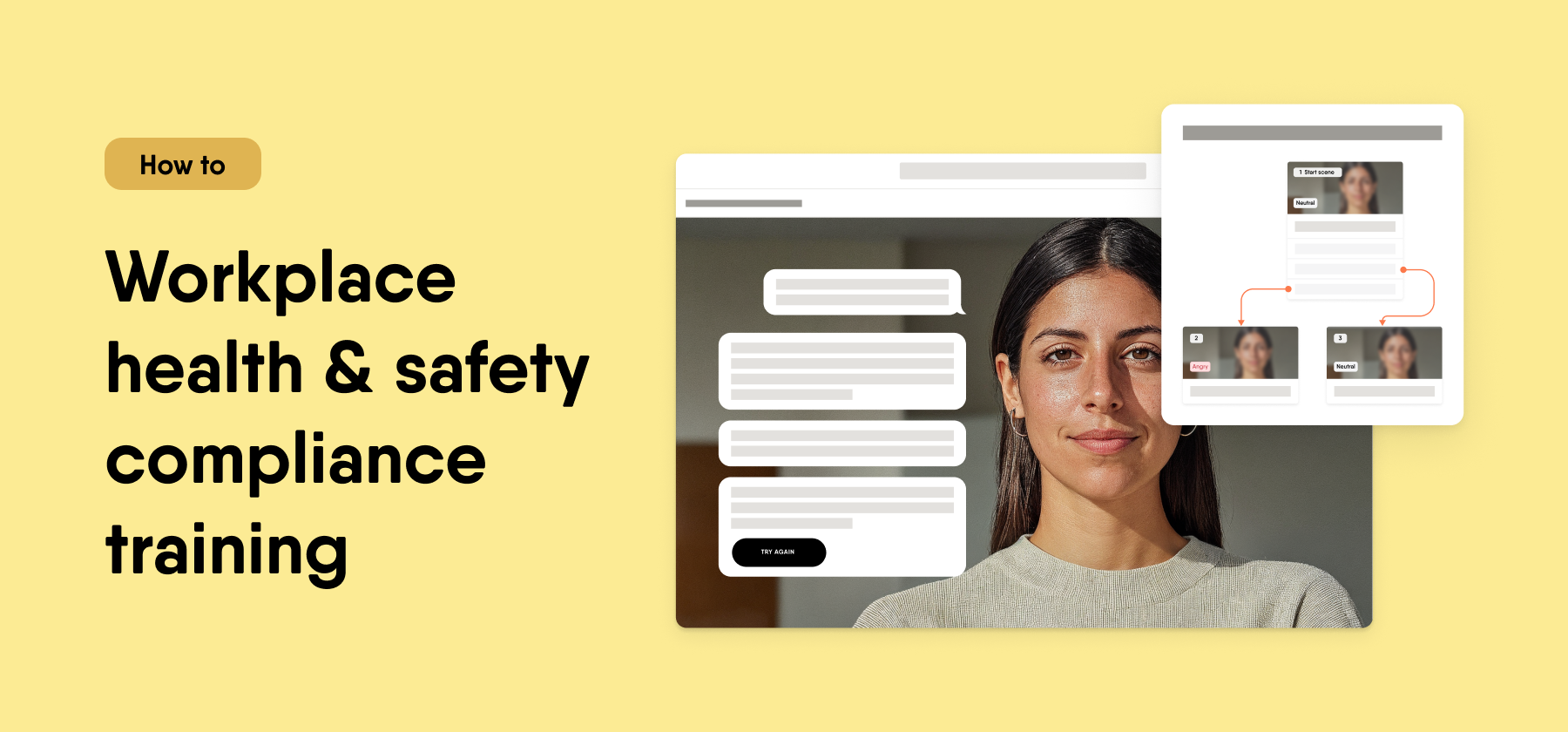
Workplace health and safety training works best when it reflects real environments, real equipment, and real decisions employees face. It should feel company tailored, practical, and directly connected to daily work. It should also prepare employees to act correctly in risky situations.
You can create workplace safety compliance training that meets these standards faster with AI built for real learning outcomes.
Why safety training often falls short
Many safety programs begin with a regulatory document or internal handbook. L&D converts it into slides, internal experts review it, and the course goes live weeks later.
The content may explain procedures, but it often lacks realism. Employees read about hazards without practicing how to respond. When processes change or new equipment is introduced, the team must revise everything again.
You can avoid this cycle when you use AI inside the authoring process.
How to create workplace safety training with EasyAI
EasyAI is the author-first AI built to help experts create, refine, and finalize effective courses that deliver real learning outcomes.
Start with your existing health and safety policy or procedure document. Upload it, and EasyAI will convert your document into a structured course outline with clear sections and draft content. You move from raw policy text to a structured workplace safety training course in a short time.
Refine the objectives and explanations. EasyAI reviews your content and suggests improvements to strengthen clarity and alignment between procedures and learning outcomes. You keep the intent behind your safety standards while improving learning quality.
See how this works in practice in the interactive demo below.
Now focus on realistic safety scenarios. In Easygenerator, you can use the Scenario feature to simulate real workplace situations and guide employees through decision making.
Create a scenario where an employee notices a spill near heavy equipment. Present possible actions and let the learner choose the correct first step. Provide feedback that explains why one action reduces risk and another increases it.
You can also build scenarios around personal protective equipment. Show what happens when an employee skips a required step. Reinforce correct procedures through guided decision paths.
Scenarios help employees practice judgment in a safe environment. Instead of only reading rules, they apply them.
See how to create workplace health and safety training scenarios in the interactive demo below.
Where this works best
This approach works best if you:
- Need to roll out training across multiple locations
- Need to update procedures when equipment or regulations change
- Rely on internal experts for safety knowledge
- Want to reduce dependency on instructional designers
- Need a governed way to use AI for learning
How Easygenerator supports workplace safety compliance training
Workplace health and safety training courses often come with recurring challenges such as regulatory updates, multilingual teams, and audit requirements. The table below shows how you can address these challenges with Easygenerator.
| Safety challenge | What you need | How Easygenerator supports it |
|---|---|---|
| Long safety manuals | Structured and interactive learning | EasyAI converts documents into course outlines with clear objectives and draft content |
| Employees know the rules but struggle in real situations | Realistic practice | Use the Scenario feature to simulate workplace decisions and reinforce correct actions |
| Frequent procedural updates | Fast and controlled content updates | Edit courses directly and use EasyAI to review and refine updated sections |
| Multilingual workforce | Consistent delivery across regions | Use EasyTranslate to translate courses while keeping structure and scenarios intact |
| Inspections and audits | Clear proof of completion and understanding | Track course completion and results for reporting and compliance reviews |

Frequently asked questions
What is the best way to build workplace health and safety training?
–
The best way to build workplace health and safety training is to start from your actual procedures and risk areas, then structure them into clear objectives and practical learning moments. In Easygenerator, you can upload safety documents into EasyAI to generate a structured course outline, then refine it to reflect real environments and equipment. This helps you create company-tailored training that connects directly to daily operations.
How can AI help create workplace health and safety training?
+
AI can convert safety manuals and procedures into structured course content with clear sections and learning objectives. With EasyAI inside Easygenerator, you can generate draft content, improve clarity, and align procedures with realistic learning activities. This reduces development time while keeping control over accuracy and compliance.
Should workplace safety training include realistic scenarios?
+
Yes. Employees must practice decisions they may face in real situations, not only read about rules. In Easygenerator, you can use the Scenario feature to simulate incidents such as equipment misuse or hazard reporting, then guide learners through the correct actions. This improves judgment and reinforces safe behavior.
What types of assessments work best for safety training?
+
Scenario-based questions work best because they test decision making under realistic conditions. You can also use multiple choice or true/false questions to check knowledge of procedures and required steps. In Easygenerator, you can combine these formats to measure both understanding and application.
How do you maintain consistent safety standards across teams?
+
Create one master course that reflects your core safety standards, then adapt it for local needs where required. With Easygenerator, you can update content centrally, translate it with EasyTranslate, and track completion across locations. This helps you maintain consistent safety standards while supporting different teams and regions.
Related articles
Rares Bratucu
How to create product training for sales teams
Create product training for sales teams with AI
Rares Bratucu
How to create customer success training
Create sales enablement training with AI and scenarios
Rares Bratucu
Top e-learning video production software in 2026
Top e-learning video production tools compared
It's easy to get started
-
 14 day trial with access to all features. Start with variety of course templates.
 -
Get unlimited design inspirations. Level up your courses.
-
Upload your PowerPoint presentations. Get instant courses created.
