Blog

Learners want video. What’s stopping L&D?

Learners want video because it’s fast, visual, and practical. So why do so many L&D teams still struggle to use it at scale?

By Rares Bratucu 7 minutes

Last updated on May 21, 2026

Video isn’t new. But it has become one of the most natural ways people learn at work. In our latest webinar, we explored why video keeps winning, what has been holding L&D back, and how Employee-generated Learning and AI are changing what’s possible.

In this session, Bobby Burchill, Training & Development Manager at ProPharma, and Nada Hazem, Senior Product Manager for AI and Innovation at Easygenerator, joined Ashling Moran for a practical discussion on video learning today and where it’s headed next.

🎥 Watch the session: Missed it live? Watch the full recording below.

YouTube video


Why video keeps winning

Video works because it reduces friction. As Nada explained, expectations have changed. People expect learning to fit into the flow of work rather than interrupt it. Video compresses information into a format that is easier to consume and apply, especially when demonstrating processes or systems.

Bobby shared practical examples from his own experience. When people need to learn something quickly, they instinctively search for a how-to video. The same behavior carries into the workplace. For many learners, watching a walkthrough is more engaging and motivating than reading long documents or slide decks.

The real challenge is not proving that video works. It’s making video sustainable.

The real bottleneck

If demand is clear, why is video still underused?

The main issue is not belief in video. It’s ownership and production mindset.

Video has traditionally been treated as something that requires specialist tools, production teams, and long editing cycles. That works for marketing. It creates problems for learning. When every update requires re-recording and re-editing, video becomes slow and expensive to maintain. As a result, organizations end up with polished but outdated content instead of timely and useful knowledge.

There are also practical blockers. Many subject-matter experts are comfortable with tools like PowerPoint because they are familiar and quick. Video editing software can feel complex and time-consuming. In a remote world, filming and re-recording can be difficult. When deadlines are tight, people default to what they know.

Employee-generated learning changes the dynamic

The most relevant knowledge already exists inside organizations. Employees share expertise every day in meetings, chats, and walkthroughs. The challenge is turning that everyday knowledge into scalable learning.

Nada highlighted that corporate learning strategies do not always make it safe or easy for employees to contribute. There is often pressure for content to be perfect before it is shared. But the risk of not sharing knowledge at all is far greater than sharing something that is simply good enough.

Bobby recommended starting small. Take an existing PowerPoint or document and transform it into a short video. When leaders and stakeholders see the impact, it becomes easier to build buy-in and expand from there.

Employee-generated video works when friction is removed, guardrails are clear, and L&D shifts from controlling content to enabling contribution.

What changes when video becomes easy

AI is reshaping what is realistic for video learning.

Rather than replacing L&D, AI removes production friction. It can help generate scripts, create voiceovers, and update specific scenes without rebuilding entire videos. This makes video faster to create and easier to maintain.

Bobby shared an example of using AI avatars in training. While some raised concerns about replacing human roles, his experience showed the opposite. AI allowed him to create more efficiently while still maintaining quality oversight and review.

Nada emphasized that AI does not take over decision-making. L&D remains responsible for quality, context, and judgment. The goal is to allow learning teams to support more authors and more content without scaling headcount.

When video becomes easy to create and update, it stops being a special project. It becomes part of everyday knowledge sharing.

Why we built EasyVideo the way we did

The real bottleneck isn’t demand for video. It’s ownership.

For years, video has lived in a production mindset, with specialist tools, long cycles, and high expectations of polish. That works in marketing. It slows down learning.

EasyVideo was built to shift that mindset.
Read more

The goal isn’t to replace people. It’s to remove friction and to make it easier for L&D teams and internal experts to contribute, update content quickly, and keep knowledge up-to-date without rebuilding everything from scratch.

AI doesn’t make the decisions. L&D still owns quality, context, and judgment. It simply helps teams support more authors and move faster.

When friction goes down, contribution goes up. And that’s when Employee-generated Learning truly scales.

The bottom line

Learners want video because it fits how work happens today. The barrier has never been belief in video’s effectiveness. It has been operational friction.

By embracing Employee-generated Learning and using AI to remove production hurdles, organizations can move video from rare and polished to timely and relevant.

Video does not need to be perfect to be powerful. It needs to be accessible, practical, and easy to create.

👏 Huge thanks to Bobby Burchill for joining this conversation.

Webinar transcript

Ashling: So welcome. Today we’re going to be talking about video and why learners want video in e-learning. My name is Ashling and I am going to be moderating today’s conversation. If you’ve tuned in before, I may be a familiar face, but I am a Customer Value Manager here at Easygenerator, and I am joined by two lovely experts in the field. And I’ll let them introduce themselves. So Bobby, perhaps you’d like to go first.

Bobby: Yeah. I’m Bobby Burchill. I’m from Dudley in the West Midlands, if you recognise the accent — it’s from Peaky Blinders, more than likely. I’m a Training Development Manager at ProPharma. I’ve worked here for four years now, heading up everything from onboarding to e-learning of soft skills. And prior to that I’d worked for 21 and a half years at a further education college, training lecturers on how to use platform systems and getting the best content out to their learners. So I’ve got a lot of experience when it comes to video production, editing, training, and trying to make it as best a possible user experience for the learners.

Ashling: I’m excited to pick your brain. We’ll jump in in just a second. Before then, Nada, would you like to introduce yourself as well?

Nada: Yes. Hey everybody, I’m Nada. I’m based in Dubai and I currently lead the EasyVideo product team at Easygenerator. A few years back I started with a focus on engineering, holding various engineering roles, and I had a big passion for AI long before LLMs and the current AI revolution happened. And then I slowly shifted to product. I worked quite a bit with the entrepreneurial space, specifically around operational efficiency. And now here I am, 2026, excited to explore AI in the domain of e-learning. Exciting times.

Ashling: Yeah, a lot has changed. And I think you’re in the perfect position as well to help with some of the questions I’m sure will pop up today. Of course we’ll be having a conversation, but it’s not all about us — we would love to get your insights as well. To those of you who have joined today, out of curiosity, how much content do you think is video-based in your learning? I’m going to put a quick poll in the chat so we can see where things lie.

Ashling: The answers are coming in. At first glance it seems that it’s kind of split. About 38% use less than 10% video in learning. And there’s another — oh, it’s changing again. At the start it looked like more than 60% is also quite popular. It seems like there’s a good mix across the board, which will definitely make for an interesting discussion. Okay, with that in mind, let’s perhaps get started with the actual chatting.

Ashling: So we’re here to talk about video learning not because it’s new, but because it’s become one of the most natural ways that people learn at work. When employees need help, want to build a skill, or maybe solve a problem, they’re going to look for something quick — visual and easy to apply. Most of the time that means video. So the real question today isn’t whether video works, because we know that it does. Instead, we’re going to be looking at the challenge: many L&D teams feel that video is still really difficult to scale. It’s often slow or expensive, tied to production teams or specialist skills, and as a result videos stay polished but maybe rare instead of timely and very useful. At the same time, the most valuable knowledge in the organization lives with the employees. And when people are unable to share what they know, learning becomes less relevant and less human. On the flip side, when people can share what they know, learning becomes more relevant and more human. So we’re going to take a look at all of this today and explore those challenges — when we can use video, and when it becomes easier to create, what opportunities that unlocks.

Ashling: So I guess to get us started, we can look at why video works so well in learning today. Nada, I’d love your thoughts on that.

Nada: Okay, and I think that’s a great way to start the topic today. I think video is winning not because it is more flashy or more engaging by default. I think it’s winning because it removes the friction. When you’re on the job and you have a question, you want an answer immediately. You don’t want to have to be pulled away to go and take a course and study and then come back to apply that learning. And I think video works best when we talk about being in the flow of work. A pattern that we’ve been seeing across organizations is that what has changed is not people’s attention spans — people’s attention spans have stayed the same over the past tens, maybe even hundreds of years. But what has changed is people’s expectations. People expect everything to happen immediately. And so when we talk about video as a visual learning style, for me it’s not a format choice as much as it is a response to how work naturally happens today.

Ashling: Makes sense. And Bobby, would you agree with that or do you see something different when it comes to videos and learning?

Bobby: Well, I absolutely agree with the demand and the need for speed — to get the resolution as quickly as possible. I’m sure everybody in the audience regularly goes to YouTube for how-to videos. Just this weekend I had to change a battery in my key fob for my car, and the first thing I did was search for a video on how to do that, what battery it was, and then I got it sorted. So if you’re in an industry and you can get it done with the technology you’ve got in your pocket — your phone — and you can watch a quick video, then it moves you forward a lot quicker. From a creating standpoint as well, when we’re doing system and platform walkthroughs, it’s a lot easier. I’m a live trainer. I’ll stand on stage and show a demonstration of how to use a platform. But if I now work in this remote world where I never see anybody face to face, for me to be able to record my screen with some audio over the top and do that step by step — it’s quicker and gets it out there a lot more efficiently than me writing up a PDF of screenshots to send out.

Ashling: Yeah, so I guess there are two pieces there. It’s what learners expect, and then also efficiency in creating. I also will reach for my phone to look up something quick on video — whether that be YouTube, TikTok or something else. But yeah, it’s really interesting how expectations are changing, and that’s something you mentioned as well, Nada. I’d love to dig into that a bit deeper. How does video help meet those expectations better than, let’s say, a text-heavy approach?

Nada: Right. So when we talk about video as a medium to transfer knowledge — as a system on its own, you can pause the video, you can rewind it, and you can skip to the part that you’re looking for. So it’s very efficient when it comes to demonstrating something. When you’re on the job you learn not by knowing something, you learn by doing something, as Bobby just touched upon. And when we take two steps back and talk about the science behind video versus text-heavy approaches: video compresses the content into a shorter amount of time. So you consume more in a shorter amount of time versus text-heavy approaches, and that reduces the cognitive load. And that naturally is just much more efficient. Think of behavioural learning, for example — like scenarios with text, you have to read through a scenario, you have to understand the context, you have to visualize the process, and then you have to make a judgment. That translation layer that’s happening in your brain already consumes a lot of cognitive load. And again, video just drastically compresses that into a much shorter amount of time. So as you get closer to the real job, video just becomes the primary learning format.

Ashling: In that case, yeah, makes a lot of sense. And I think you touched on something there with the pauses in videos as well, which goes back to something that Bobby had mentioned. So I am curious to maybe follow that line of thought for a second. Bobby, you mentioned how easy it is to jump back into a video exactly where you need it. How important is that control piece for learners compared to more traditional resources?

Bobby: Yeah, I think just being able to chapterize videos and being able to get to where you need to get to — a lot of this obviously requires having the skills and the technology. But generationally, people now have their Netflix and Disney+ and the video streaming services and they just go straight to the episode or the chapter that they want to get to. And that’s exactly the same when it comes to learning. If I want to get back into something and pick up from where I left off, being able to get back into that video and move forward on the next part of the process is a lot easier and a lot more motivating for me to get back into learning than scrolling through a 200-page PDF or a 90-slide PowerPoint. So yes, I think the ease of access to get back to where you were — but also to the bit that you want to learn — is more powerful in video.

Ashling: That makes a lot of sense. I think it also connects to how you view learning. Is learning a checkbox exercise, something prescriptive that you’re just assigning? Or are you using it as a resource to help people do what they need to do, so they can go back and find those answers quickly? Which I think moves us along nicely to the next point. So we know videos are important, we’ve looked at kind of why that is, but still there are some bottlenecks into how we can create more videos and make those available to our learners. So I think we can perhaps look at some of those obstacles. Nada, in your point of view, what do you think are the biggest obstacles when it comes to using more videos?

Nada: That’s actually a great question. I think demand exists — we all agree that video is winning and everybody agrees that video is more effective when it comes to the cognitive load and delivering content. But I think the obstacle is an ownership problem. What we see in organizations is that video lives in a production mindset: specialized tools, specialized people, long production cycles, and it has to be perfectly polished before it’s ever shared. People assume that if you’re in a video explaining something, you have to be an actor or a performer. And that’s a misconception. And I think that also brings us to the topic of what is really the definition of quality when we talk about videos in the e-learning context. Because from a marketing video standpoint, the quality definition is different. And I think that’s where people mix the two. We need to understand that you are in an e-learning context and should have the right quality benchmarks relevant to this type of content. And the negative impact of that — historically this was always true but it’s slowly changing — we’re seeing a lot of videos that are perfectly polished and pixel perfect, but they’re completely outdated, so they’re useless and not really effective anymore. So I think that’s the biggest obstacle: it’s an ownership issue, it’s a mindset issue.

Ashling: Okay, so mindset issues — but then also how do we overcome that quality piece? And Bobby, do you agree with these obstacles or is there something else you see as the biggest obstacle to using more video in learning and development?

Bobby: I agree completely with Nada. But there are further things depending on what you want to do. Like you said, the SMEs who are responsible for creating content aren’t always comfortable being on camera and they haven’t got that design mindset. If they do it, it might be good enough but it’s not the best it could be. We’re fortunate at ProPharma that we’ve got our training development team and we’ve got people who want to create and do a more polished job. But then the restrictions are that we can’t go into an office as easily to interview somebody or film cutaway scenes or whatever it might be. When I worked at the college, I was on campus all the time — I’d go and get the camera and walk around the site and be able to film. If the person stumbled over their words you could get them to reshoot it straight away. Whereas now in a remote world, you’re asking people to re-record themselves on a Teams meeting they’ve just completed and send it over to you, and then you watch it — it’s very long-winded and just puts people off from doing the editing. And then the skill set aspect — if you’re using things like Adobe Premiere Pro, they are difficult. It’s like another language if you’re not from that part of the world. So anything AI-related when it comes to video creation will get you to a slicker, smoother end product. But as I say, the quality isn’t always there when using real people and voices as well. If things change, if guidance changes or that person leaves and you want to update, you’ve got to re-record it again. So if you can use something where you can use text to audio then that’s obviously going to speed up the bottleneck.

Ashling: So there’s a few things feeding in here: time to create, the skills needed to create, keeping up with changes, and the quality piece — making something that’s good enough quality to share. Maybe pixel perfect, maybe not, depending on the use case. I do see a question in the chat that we can address before we continue looking at some of those obstacles. Are there any thoughts on preventing learners from fast-forwarding or skipping videos versus forcing them to watch?

Ashling: I can speak from my own experience and I would say it depends — I think at this stage I need that on a mug or a t-shirt, it’s one of my go-to slogans. But yeah, if it’s something like compliance training you need to show that learners have watched a full video, so in that case you might want to force them to watch it beginning to end. That said, there’s nothing stopping somebody from not paying attention to those videos. So I would always recommend following up with some type of knowledge check to ensure that people know what they need to know. But if it’s something like learning as a resource — especially with adult learners — you don’t want to force them to watch a video because it can become quite frustrating if they already know that information or are trying to look for something specific. So definitely on the design side, it depends. Not sure if either of you have something to add here before we look at the obstacles.

Bobby: Yeah, well the other thing with restricting the navigation and making people watch the video — one of the benefits of it being in video, and not necessarily fast-forwarding, just came to me — is that people watch Netflix on like 1.5x speed, right? Because that’s how they want to learn. They want to get to the content and watch it at a different speed. So exactly the same with learning. You can have that video in and they might watch it at different speeds to get to the part that’s going to interest them most. But yeah, we regularly use those knowledge checks and restrict the navigation to ensure that people watch the full video before they can move forward on a page, if it’s in a course especially.

Ashling: Well it makes sense. Again it depends on that knowledge piece — especially with something pharma-related, it’s important that people are consuming that information.

Nada: I want to jump in on this point. So I think enforcing learner control — sometimes not giving learners enough control to skip to the parts they need — we see a lot of drop-offs when you do that. But I think it also depends on the type of learning use case, as you both mentioned. So you can, for example, have a chapter or a video lesson that is completely flexible, and then not allow the learner to move to the next section until a specific knowledge check is answered correctly. So you give flexibility but retain a little bit of control to make sure the knowledge is well retained before moving on. I think that’s a good way of thinking about it from a systems perspective — you provide flexibility to learners while also making sure you’re checking any boxes that need to be checked.

Ashling: Yeah, and I had a question for Nada. I think this conversation is bringing us back to ownership. So who’s responsible for making these decisions either on the video or the systems level? And I’m curious if you could dive a bit deeper into why that’s such a blocker in learning and development.

Nada: Right. So I think we need to define, and clearly communicate, what quality benchmarks mean for e-learning content. I understand that on the L&D side, when we talk about SMEs creating content, there is a fear of not having the right quality benchmarks and not being didactic enough and all those sorts of things. But I think the risk of not sharing knowledge at all is a lot more damaging than having a format that isn’t perfect being shared. Employees naturally share knowledge every single day — the knowledge is being shared anyway. And when we talk about ownership, we need to move people away from the production mindset and bring it back to the company, to L&D and to the SMEs, with the right guardrails in place. That’s what I mean when we talk about ownership.

Ashling: Okay, so how to facilitate that will be an important piece. And I can see there’s also a question in the chat from Hayley around this as well. So if you have any advice on helping employees adjust to or embrace video learning when they maybe aren’t so familiar with the technology. Bobby, you have boots on the ground. I’m curious if you could provide any insight through experience.

Bobby: So we’re in charge of onboarding. From the get-go we like to welcome our new starters — we use video learning from there and create our onboarding package. Welcome to ProPharma, this is your schedule, this is what you’re going to do. And then they get used to seeing video in the courses. But what I’ve done previously is taken something that serves a purpose — maybe it’s a PowerPoint or a PDF — and shown them what’s possible. Taking it and saying: okay, well you’ve got this and it works. But actually if we put it into video and make some tweaks, this is your other alternative. And it’s very difficult when senior people see the better product or better option to turn that down. So whoever asked the question — I just recommend taking something that would be a small example but can clearly show a bigger impact, adapting that to a video as an example to put forward and say it didn’t take that long to make. Then from there you can take it and grow it.

Ashling: Makes sense. And I know you mentioned as well that employees or knowledge holders already have things like PowerPoint. Why do you think it is that they’re maybe defaulting to that type of presentation or knowledge-sharing option?

Bobby: I think it’s very much familiarity, isn’t it? They’ve used it for 30 years or more. Nobody likes change. Unless you want to and you’ve got that will to see what’s possible, if you’ve got a deadline for next week and you’ve got a PowerPoint that’s ready-made and you can just tweak it, you’re going to update it and send it out as quickly as possible to meet that deadline. Again, going back to that example: if you haven’t got as tight a deadline and you do have some time to have a little experiment with different options and video, and you do have an SME who wants to change the way things are delivered, then you’ll have the buy-in and you’ll have a really successful group project to test out and roll out. And I think that’s what you need for that change to be made. Otherwise if it’s a tight deadline, people just stick to what they know to get it done and off the desk.

Ashling: Okay, that makes sense. So they’re sticking to what they know, especially with so much on our plates today. It makes sense that people are spending time on what seems most familiar. And Nada, do you agree? Is there anything else that has traditionally stopped employees from creating training videos themselves?

Nada: No, I think I couldn’t agree more with Bobby on that point — it’s hard to start creating a video, sometimes you don’t know where to start. But I also want to touch upon another topic: we see that corporate learning strategies sometimes don’t make it safe for employees to contribute to content creation, especially video. And that ties back to the conversation we were having earlier about what are the quality benchmarks for e-learning content creation. I think you need to lead by example — to show what an e-learning video actually looks like, what is good, what is considered good enough, and maybe show that through the impact it actually creates. So I think if we remove the friction — which Bobby touched on pretty well — and if we create a culture that is safe enough for people to contribute, I think that is the solution. And the solution here is more about shifting from controlling the content to enabling the contribution of employees.

Ashling: Yeah, makes a lot of sense. So creating that culture where people feel comfortable — 100%. I’m guessing there can be so many different factors playing in here. So I am curious for those of you joining us today: what do you think is stopping you, or has stopped you in the past, from using videos in your courses? I’m going to pop a second poll in the chat so we can take a look.

Ashling: I also noticed a question coming through about the nature of today’s conversation from Thomas, about whether we’re talking about the topic of videos today or whether we’ll show how to create explainer videos in Easygenerator. So today is more around videos — what’s blocking us, how we can facilitate making videos, and some of the benefits. Our colleague Maria, who you may know, runs an enablement series and will be picking this up further in a few weeks to dive deeper into the creation piece and how that’s done in Easygenerator. So that’s a more tool-centric topic, not today but it is coming of course.

Ashling: Okay, let’s have a look at the poll. And it’s interesting — from the early results it seems like Bobby, what you said really resonates, that a lot of it ties back to time and capacity. But we are also seeing that updates are painful and tools are complex. Interestingly enough, reviews don’t seem to be slowing too many people down. One of the other options that I just thought of that we haven’t got on that poll was the subject itself. The subject needs to lend itself to video. You can have really dry subjects depending on what industry you’re in, and it can be really difficult to know where to start to create and put that into a video. So you might just think that you can’t do it because of the subject.

Bobby: That’s where, when we’re doing demonstrations of platforms and processes, it’s just easier, isn’t it? You jump on a call, I’ll show you through a step-by-step, click here, click there, and you just turn that into a video resource. But it’s difficult for inspiration. That’s where AI saves the day, doesn’t it? You pop in your PowerPoint and it gives you some inspiration. Of course, yeah.

Ashling: It’s working as an aid, and perhaps not as a blocker or replacement. Yeah. So I would be curious Bobby, about what you’ve seen as the blockers for yourself when it comes to creating training. Much what you mentioned, or is there anything different when you talk about it on a personal level?

Bobby: Sometimes I do struggle with the content that I’m given and a blank canvas, because I’m not as creative as other people. I’ve got two people in my team who are fantastic at taking a really dry subject and making a video out of it. So I take inspiration from them in the main. But yeah, that’s the main one. And comparing remote to in-the-workplace as well, it’s massively different when it comes to video. Depending on what you’re trying to do — if you’re trying to really talk to real people and get real people involved and on camera — you can’t really do that in a remote world and get people to film themselves on the webcam of a laptop. The quality just isn’t there. And if you do want good quality — I know it doesn’t have to be exactly perfect to get it out there, but if you’re trying to be the best that you can be — that’s a big blocker. Getting people into a room with the right lighting and so on.

Ashling: Does cost ever play into that?

Bobby: 100%. That’s why we’ve never really gone down that route. We had a studio a couple of years ago — I’m not sure whether they hired it or how it worked — but I know we got a lot of senior leadership into a room once and filmed something like a chat show, news broadcast kind of thing for a town hall, which was great. But obviously the cost of that, flying people in and all that, is just a non-starter in a remote world — really for all video. Maybe on the grand scheme they might do it as a one-off special, but for the people in the room now trying to do video daily, you can’t do that. Depends on the impact.

Ashling: Yeah. I can see there are some nice tips coming through the chat too. One from Sam is talking about video production and yeah, not everybody is a natural when it comes to being on camera or getting ready to record something. So some people need to be more relaxed or more engaging. And there’s a really good piece of advice here about planning in advance — telling people things like: talk slowly, remember to smile when it’s appropriate. That can certainly help if anyone’s diving into the production piece today. Nada, I’m curious if you had anything you might want to add there.

Nada: I think on this point, a lot of the feedback we’re getting in general when we talk about video is people being camera shy, or feeling like they’re not perfect in front of the camera, or feeling pressure to act or perform — or as Sam mentioned, to remember to smile at the right moments. And I mean that’s too heavy. So first of all it’s understandable, and it’s a very valid concern. And the second point I want to make is that with the current tools and systems available nowadays, there are options. People need to know that there are options — like AI voices. And when I say AI voices or avatars, AI voices right now today already sound as good as human voices — you can’t even distinguish them. So there are options and alternatives, and it doesn’t have to be you in front of the camera the whole time. If you don’t like an avatar, you can use an AI voice, or you can use both. I think with the tools nowadays — because two years ago we were talking about when AI comes, AI is the future. But in 2026, we already are in the future. So I think that removes a lot of the friction.

Ashling: Which also brings us to another point. Pana in the chat — and I’d love to see everyone engaging, I think it’s making for a really rich conversation — but Pana is mentioning that yeah, not everybody is a professional video creator, and there could be ethical reasonings behind this and perhaps it is ethical to pay somebody like a professional to create a video for your organization. And she’d love to get our thoughts. Bobby, since you’re using some pro software, I’d love to get your take on this. Making videos yourself versus paying a professional.

Bobby: Yeah. If you’ve got the budget for it, pay somebody else to do it — that would be the motto. If you haven’t got the time, it’s back to the blockers, isn’t it? If you haven’t got the time and the capacity to learn it and to edit it. People outside of video editing don’t understand how long video editing takes. You will film hours and hours of footage and that will produce a three and a half minute video once you’ve cut it all down and done all the transitions. And that’s just the headline. Then you need to learn the tool and all the processes in it to make it look of the highest quality. I wouldn’t even say I was a perfectionist, but I need to put things out that I’m proud of at the end of the day. But again depending on deadlines you might go: that’s good enough, it will serve the purpose. So if you have a budget and you have the buy-in to create video learning, and you haven’t got somebody with the skill set or the time to learn it, then yeah, there’s no harm in going to a professional. However, changes in the future, you’ve got to then obviously incorporate that — paying them to edit going forward. How often is something going to get a new update every year? So maybe again, start small with something you know is going to stand the test of time, turn that into a video with a professional, and then you can assess the quality and see where you take it from there.

Ashling: Makes a lot of sense. And I think again this could be a case of it depends. If you’re doing something that’s really high impact and it’s going to get a lot of eyes, it makes sense to go to a professional and put that time, energy and resource into it. But you can’t take that approach for every learning need or every topic, because then eventually you’ll run out of time and resources and there’ll be certain topics that go unmet or uncovered. So maybe it’s a bit of a balancing act depending on what you’re doing and the impact you’re having — at least that’s what I’ve seen when it comes to different organizations creating videos. And I think this also makes a nice segue into the future and what the future looks like for videos. When creating videos becomes easy, what is possible when it comes to learning? Nada, how realistic do you think it is for internal experts to create video training now?

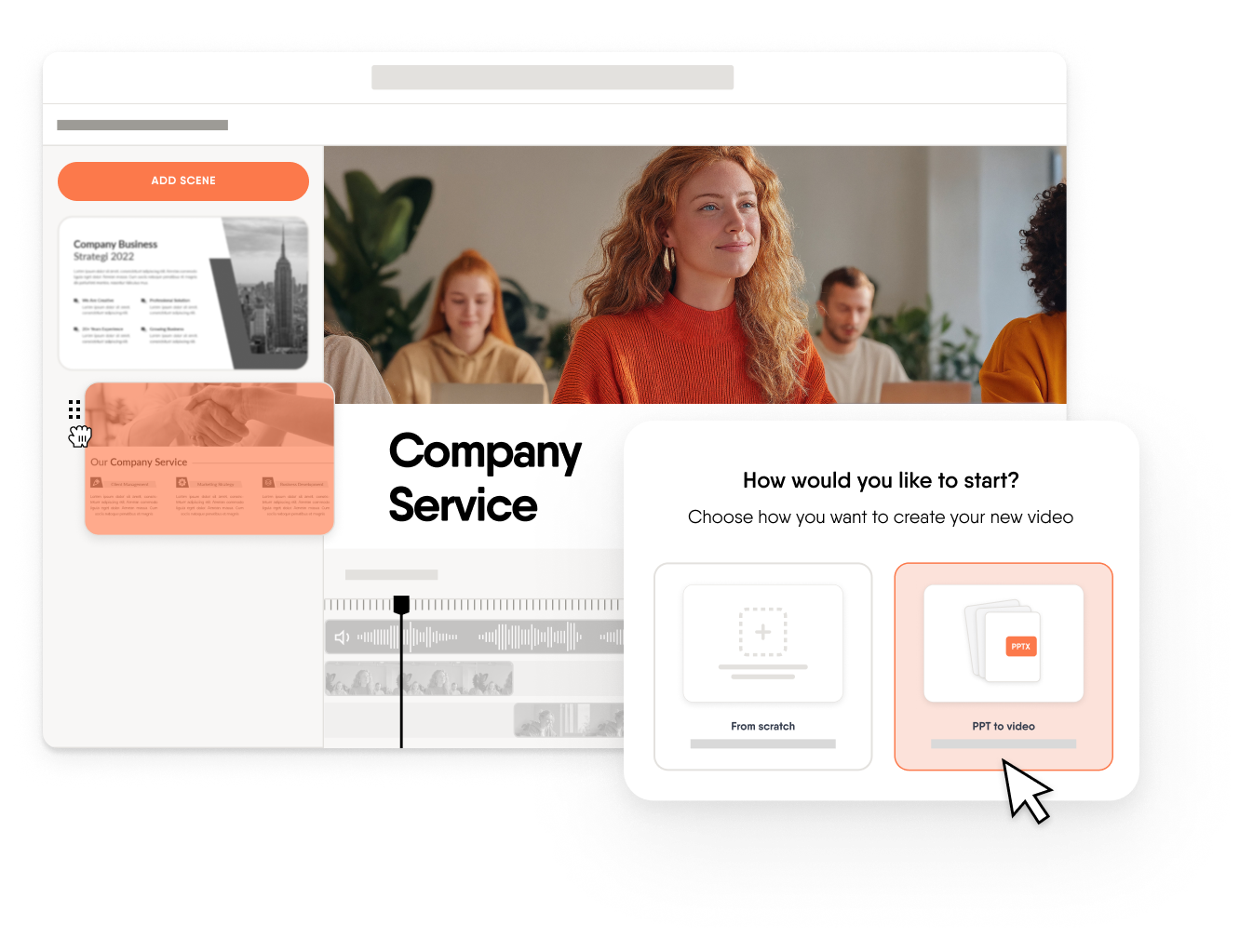
Nada: I think in 2026, when we talk about how realistic or practical it is — it is already there. There are so many use cases, and that’s because of AI. And I want to dive deeper here because I’m going to use the example of what we’re doing with EasyVideo. With EasyVideo, we’re trying not to replace people. The goal is not to replace people — and I cannot replace people, that’s a misconception. The goal is to remove the friction, both for L&D teams and for SMEs. So I want to talk about a little bit of use cases and what really happens on the ground from what we see across all the organizations that are adopting video so far. One is, as Bobby mentioned earlier, to start from a familiar piece of document like a PowerPoint — something that already exists. You can just take that, use AI, and then transform it into a video. That already removes the hurdle of starting and what we call blank page paralysis. AI can generate a script to make your PowerPoints more engaging. And that’s already a big use case because most of the e-learning content available today is in PowerPoint. Another use case would be to start from a document like existing policies or a guide and to create explainer-style videos through the use of AI. Or I think the future — where it’s going to take us — is to start from a prompt: you prompt your way or explain your way into a video. And I think one last use case I also want to touch on ties back to a couple of points we mentioned earlier: maintainability. One of the challenges is creating a video and having to maintain it over time. But with the ease of creation and with AI removing the friction, all you would need to do is take a slide or a specific scene and make updates only to that specific scene. Then the video is evergreen — you have both efficiency and effectiveness. It’s very easy to create, AI removes the friction, and you have the perfect feedback loop where you see the learning impact happen in real time. So I think with AI there are so many possibilities in 2026, and that is actually what excites me most about this year.

Ashling: And I know you’re working on some of this with EasyVideo, is that correct, Nada?

Nada: Yes. With EasyVideo, actually — sneak peek — this is exactly what we’re working on.

Ashling: Nice. I know, and the reason I wanted to touch on that is there have been some questions in the chat. So for anybody who is interested, we do have Maria’s webinar coming up. But we will also put an EasyVideo guide in the chat for you if you’re curious about what getting started looks like. Yeah, I’m excited for the future. So Bobby, I’d love your thoughts on this as well. How realistic do you think it is for experts to be included in that video creation process?

Bobby: Well, it’s funny actually, because I had an email a couple of weeks ago about AI and videos. We’d used one of our videos in our e-learning, which was obviously an avatar and not me and my Peaky Blinders accent, which they obviously noticed. And somebody reached out and said — I’ll read it to you — “I couldn’t shake the thought that a human actor had effectively lost their job and been replaced by an AI. Sure this will save the business money, but as we rely on the hiring of humans to do jobs, I felt I had to highlight the issue that maybe others haven’t thought of yet, choosing to replace a human with an AI.” And she emailed me that email concerned for, effectively, my job, because it was me who chose not to deliver the training and used the AI avatar and the script instead. So I explained that it was for ease and for being able to change it as quickly as possible in the future, but also to say it’s up to us as learning and development people to show the benefits of that. Like I said earlier: AI, it’s not like it solves all our problems. It doesn’t. It just gives us inspiration. You put that PowerPoint in and it gives you something to work on. And then what we in L&D do is do more things quicker, bigger, and more efficiently. And other people who are just subject-matter experts who want to get involved — it will give them a platform. But that quality aspect still needs to be maintained, the reviewing and the tweaking and fine-tuning. That’s now what we may do more of, rather than starting with a blank canvas. Because we can drop our content in and it gives us something to work with. But my team will tell you — it might give us something to work with and we might just completely change it anyway. But it’s shown us what’s possible. And it’s about training people on how to prompt and how to best use it, and how to then edit afterwards.

Ashling: So yeah, I’m hopeful that we’ve still all got jobs in a few years with AI. But you just have to adapt your tool set, haven’t you? Yeah, using AI as a tool, adapting your tool set, but also adapting to the different ways of working. But it is interesting — it’s enabling you to create those videos and perhaps pick up more learning requests rather than having to sit down and record everything. And I know AI avatars are kind of a hot topic at the moment — concern for actors. It’s nice in this case that the actor wasn’t replaced, you just didn’t have to get on camera. But I’m curious: how does AI help people create more without lowering that quality or removing that human role?

Bobby: They are getting better — the avatars and the voices. You want to make them as realistic as possible. But for me, if I’m watching a video with an avatar or I’m watching a LinkedIn Learning video with a person giving me the delivery, it doesn’t really make much difference because the content is just stock content. It’s more about the personalized content. I want to see an avatar talking about ProPharma — this is what we do here in leadership, this is what we do here on this platform — and then the content being adapted to be real, with real-life experiences for our staff to learn from. It doesn’t matter whether that’s a real person or an avatar, as long as it’s adapted content that the learners the other end can buy into. The content needs to be real.

Ashling: Yeah, and I think that ties a lot of the conversation that we’ve been having together. So there’s a quality piece — you want it to be good enough quality. Not necessarily — these are my own words — Spielberg-level production. You want something that’s good quality, but you also want it to be relevant to your learners. So perhaps using that AI avatar will allow you to deliver something that’s more relevant. It might not be absolutely perfect, but it’s getting the message across in a more engaging or more accessible format.

Nada: I do want to jump in here on the point regarding AI, and I think this is actually one of our goals for 2026 as well: AI is never going to be the decision maker. The decision is always going to be with L&D. AI is just going to make L&D’s effort go more upstream. So it’s going to automate a lot of the reviewing and the polishing aspect of things, but it’s never going to have end-to-end control over the end-to-end process. So the role for AI — and our goal — is to allow L&D to be able to support not 10 authors but 100 authors. Again, it does not replace the human in an L&D context. It supports and enables things, or the whole process, to be more efficient. And the decision at the end of the day lies with the human, because the human has more context about the organization and better judgment. I don’t personally see that changing anytime soon or even ever. So that’s the point I just wanted to make because we’ve been hearing it often in our chats internally: it’s not coming for you.

Ashling: I completely understand. And I think we’re also learning that perhaps the predictions we saw in 2021, 2022 are not quite happening the way they were described. But yeah, I see there are some questions in the chat, and Nada, I think you might be able to add some insight here. Guido made a point about AI voices and avatars — that you can be really focused on the body language and that uncanny valley effect perhaps — and wasn’t sure if there are ways to mask or avoid this when it comes to video editing. So I’d love your insights from the product side when it comes to avatars.

Nada: That’s a very good question. I’m not sure if you’ve seen our recent updates, but we have two components here. We have AI voices separately, where we have it as a narration-only mode where you can use an AI voice to narrate an entire video. And when that first launched with our tool with EasyVideo — and actually with a lot of tools on the market — it did sound a little bit robotic. But with the recent advancements, if you go try it now, it’s almost indistinguishable from a human voice — almost indistinguishable. And it’s available in up to 70 languages, and not only that but we also have authentic regional accents. So I think the AI voice component is now almost indistinguishable. But when you talk about avatars, that is still a challenge — the uncanny valley. When we initially launched avatars, similar to other tools as well, it did look very unrealistic and the movements would just play in a loop. But I’m also going to give you a sneak peek: in the next weeks, our AI avatars are going to have an incredible boost when it comes to expression and realism. And I also want to make a point that this is a technology that’s always continuously improving, and it’s improving faster than we can comprehend. Look at what has happened with AI in a matter of two years. I do agree there will be a lot of improvements to AI avatars really soon — and by soon I mean weeks, not months. That’s how fast it’s moving.

Bobby: Sorry, just to add — I’ve used avatars for probably three years now, and regardless of whether it’s an avatar or a human on the screen talking to me and showing me something, I get drawn to looking at them rather than what’s going on behind them, which is usually the message we’re trying to show — especially if you’re showing a process on the video. So the way I work around that problem with the lip syncing and avatars or whatever it might be is: don’t have them on the screen, but use them for the audio. Because then you get the message across in your video learning and you want the learners to be focused on that process, on clicking on that box — and the reason for it, the person is still saying the words. So as long as the audio is getting better and more realistic. We’ve done videos where the avatar is on to start with to welcome you, and then they disappear for the next couple of minutes and they might come back at the end to say thanks for watching. So there are ways around it. You don’t have to keep them on the screen the whole time, because everybody gets drawn to looking at the lips and seeing whether they’re syncing properly.

Ashling: Yeah, they are definitely becoming better. I think it was last week or the week before I sent out a quick introduction video of myself to a client and they emailed me back asking if I was AI. So I know I blink slowly — apologies to anyone watching my slow blinks today — but I am definitely real. Just goes to show how quickly AI is advancing. On top of that, I noticed we have just under 15 minutes left, so I did want to leave room for Q&A. And Bobby, you gave us some really nice tips there on how to use AI avatars. And I see another question in the chat — I’ll get to that in just a second. We are going to go back and try and answer some of the questions that we may have missed. But if there’s anything else top of mind, questions, feedback that you have, feel free to drop it in the chat now as well. Okay, thanks for coming to my TED Talk. I’ll get back to the question — it’s coming from Matthias. And I’d love your help here, Bobby. So Matthias has been creating videos for some time for work, noticed that a few months go by and you have to go back over and update details. Any advice when it comes to this — does he need to reproduce the whole video or how to approach those updates?

Bobby: Again, it depends on what you’re using, doesn’t it? I mean I use Synthesia at the moment and I go onto that platform and I change the script and I regenerate the video — it’s as quick and seamless as that, and it takes as long as the video generates. If you need to re-record things, you’ve got the scenes just like you would in PowerPoint and you just take the one out and replace that bit. By using Synthesia in this instance, or EasyVideo, once it’s out it’s a lot easier and a lot more efficient and timely for you to get those updates done. If you’re creating a video in quite some work and relying on people — and that’s not taking away the human element, because the SME has provided the scripts that go into it and it’s related to your company and your industry — you can just make those changes quicker. If you’re relying on somebody to re-record, have they got the capacity to help you, have they got the time, the buy-in? Sometimes they haven’t. People are busy, so it’s just easier to take that on yourself and say: what word needs changing? Regenerate.

Ashling: Yeah, a lot of the AI tools have that. I know it’s something in EasyVideo as well — because it’s integrated in the platform, you can go in, click on the video, update the script and then have the whole video updated in the tool. So there are definitely ways around it depending on the nature of the video you’re creating. And then I think that actually follows up with a nice question coming from Sam. So Nada, perhaps you can help. The question is: what are your thoughts and plans on being able to jump to chapters in videos in Easygenerator, like on YouTube, or search by a video like it’s a transcript in a Zoom recording?

Nada: That’s a really, really good question. And that’s where we are investing a little bit of our efforts right now. We’re looking at which use cases in organizations require video as a primary learning format, and we’re seeing a pattern across many organizations where that is the case. As I mentioned earlier, when we talk about skill-based learning — the closer you are to the real job, the more video becomes primary — and that means the learner experience needs to follow suit. That means having chapters, jumping through the right chapters, and this is pretty much what we call video courses. I think it’s also part of the future, but I may have more information about that soon. Nothing concrete at the moment, but as video becomes the primary learning format, the tools and systems have to follow suit.

Ashling: That makes a lot of sense. And I know that yeah, as a way to find something in a longer video — I know an approach that I see a lot of creators take as well is just to break the videos up into smaller videos essentially. And I think also a good point: a lot of things that are good from a product standpoint — I know that, yeah, there’s a few more conversations going on. I know that, yeah, there’s a question from Katherine in the chat about tips and tricks to make longer videos or videos more interactive. Bobby, I’m curious if you have any insights on that.

Bobby: Like you just say about putting videos in courses — the easiest thing if you’ve got Easygenerator is to have a video in a question and then ask a question afterwards. And that’s about as much as you can probably do. But there are things out there where you can make them interactive — you can put call-to-action buttons on your videos that go somewhere else, you can have buttons that will display further videos and things. So maybe you can adapt walkthroughs or scenarios in that case. There are things out there rather than just: watch this for five minutes. But if you are using Easygenerator, I’d recommend putting it into the questions and having an assessment piece around the video.

Ashling: The different interactivities — I would agree. I’ve seen some really innovative things in this space. I was looking at a customer support training recently and they had created a video that you watched before you answered a question. So you were watching an interaction and then answering a question based on that. So it’s also about how you’re using videos in the context of the learning more wholly.

Nada: I also want to jump in on this point. We were discussing this actually a few days back — I want to talk about the science behind learner engagement when you have a video. We were looking at a bunch of research and it does say that the attention span of the learner for a video is six to eight minutes. But if you add a little bit of engagement in that video — a knowledge check, a hotspot, or whatever interactive method you use — the attention span actually becomes longer. So it’s not like we have a biological clock where after six to eight minutes we clock out. It’s about how you design your learning, and this is how you can extend the attention span and allow more consumption of knowledge per session.

Ashling: It’s really interesting and hopefully something we can all take into action after today’s call. I can see us all getting at our video tools. Speaking of video tools and creating, I see another question in the chat, and Nada, perhaps you can help. Is there a plan to allow real co-authoring on videos?

Nada: Yes, 100% actually. End of Q1 we have our first iteration of collaboration — real-time collaboration — coming in. You won’t be able to have it 100% real-time, but you’ll be able to see who is editing a particular piece of a video. So technically you can still co-author videos at the same time — we just manage the conflicts by locking in whatever it is that somebody else is co-authoring, kind of like slides. So coming soon, stay tuned.

Ashling: Okay, I hope — I think we have time for one last question as well before we start to wrap things up. And I see there’s a question in the chat from Andrew. Recommendations around the ideal length of a video in order to maintain a learner’s attention. Nada, you gave us a really nice scientific answer — six to eight minutes. James and Claudia mentioned five to ten. Bobby, through your experience of providing video learning to learners, would you agree or is there anything you would add?

Bobby: The only thing I would add is personal preferences. I’d rather watch a 10-minute video than read a 10-page Word document. You know, it takes me less time to read that 10-page Word document but it’s more engaging to watch the video and watch the walkthrough. So it all depends really on the message that’s trying to get across. But yeah, five to ten — not over the science of eight though, we’ve got to agree with Nada. That’s from the research, the science. So six to eight minutes.

Ashling: Yeah, depends on the topic. I would say for those larger topics, my approach — and it’s been well-received so far — is just to break it down. So maybe instead of having a 30-minute video, I might have three 10-minute videos. I might have a little bit of text or an interactivity or a question in between to try and re-engage learners and make sure that they’re applying that information as they go as well.

Bobby: We’ll have some that are 30 seconds. Just to add: if that process is literally just click that, do that, there you go, it’s uploaded — or something like that — that’s fine, isn’t it? Because you’ve done the message. All those together could make a 10-minute thing for the whole product. So it all depends.

Ashling: No, that’s using it as a resource, of course. I noticed that we’re nearly at the time and I assume people have busy days as well. So we can certainly go ahead and wrap things up. There are some questions in the chat about EasyVideo — it is ready, it is available if you want to test it. There’s a question about the roadmap which we do have — we can get in touch and connect offline with your main point of contact at Easygenerator and make sure we answer any of those questions. In the meantime, I do want to thank you both, Bobby and Nada, for joining today. I really enjoyed the conversation. The chat seemed to enjoy it too. So thank you both. I’m not sure if there are any last words or last comments you might have before we officially wrap up today.

Bobby: No, just: do some video learning. I recommend it. That’s all I’ve got to say, really.

Nada: And all I have to say is: don’t miss out on AI and e-learning in 2026. Don’t fall behind.

Ashling: Yeah, I’m a big fan as well. It’s definitely serving us all well. Okay, in that case, thank you very much.

Transcript produced from VEED subtitles. Speaker attribution assigned based on context and role.

About the author

Rares is a Content Specialist at Easygenerator. He spends his time researching and writing about the latest L&D trends and the e-learning sector. In his spare time, Rares loves plane spotting, so you’ll often find him at the nearest airport.
It's easy to get started
  • 14 day trial with access to all features. Start with variety of course templates.
  • Get unlimited design inspirations. Level up your courses.
  • Upload your PowerPoint presentations. Get instant courses created.